Your Case Today
0
Loading...
Today's Cases
Loading your cases...
ONEDAY PASSWORD
—
—
Yesterday
—
—
Today
ONCALL TECH
Fetching schedule…
PROGRAM APPLICATION
0
Controller Testing Lab
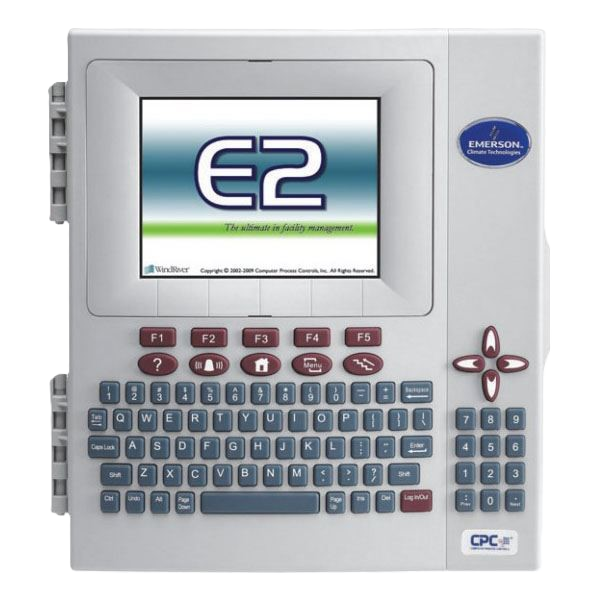
No controller configured yet.
Connect+ Updated Credential
No credentials yet
Select a product item from the left panel to view details.
Master Data
Upload .csv or .xlsx documents to power the dynamic Master Data tab and Search Engine 2 data sources.
Create Data Information
Name the tab, upload a spreadsheet, choose which columns to show, then push to Supabase.
1
Name & Upload
Tab label + spreadsheet
2
Configure Columns
Toggle visibility
3
Save & Push
Stream to Supabase
The tab name appears in the Master Data dropdown and as a Search Engine 2 source.
Registered Master Data Tabs
Broadcast in realtime to every signed-in user
Loading Master Data…
| # |
|---|
Loading Parts Number data…
| # |
|---|
Loading Contact Information data…
Preparing Support Records
Background indexing keeps the workspace responsive.
Knowledge workspace
Find a verified support resolution
Search by concern, site, customer, category, or resolution keyword.
Browse by category
No matching records
Try another keyword or clear the active category.
Advanced Filters
Data Source
All Sources
—
QuickBase_S
—
Deep Search
—
Knowledge Base
—
Product Controllers
—
Support Records
—
Index Health
All Systems Operational
Ready to search
Search Tips
🔢 Type a Case # for exact match
🔤 Typos are OK — fuzzy search enabled
❓ Questions work: "how to update firmware"
🏷️ Click chips below to quick-search
Smart
⌘K
🔍
Search Support Studio
Total indexed: — records
— type anything above to search across all data sources
Ready — type to search across all sources
—
— of —
System Operational
|
— records indexed
|
Initializing…
v3.0 Enterprise